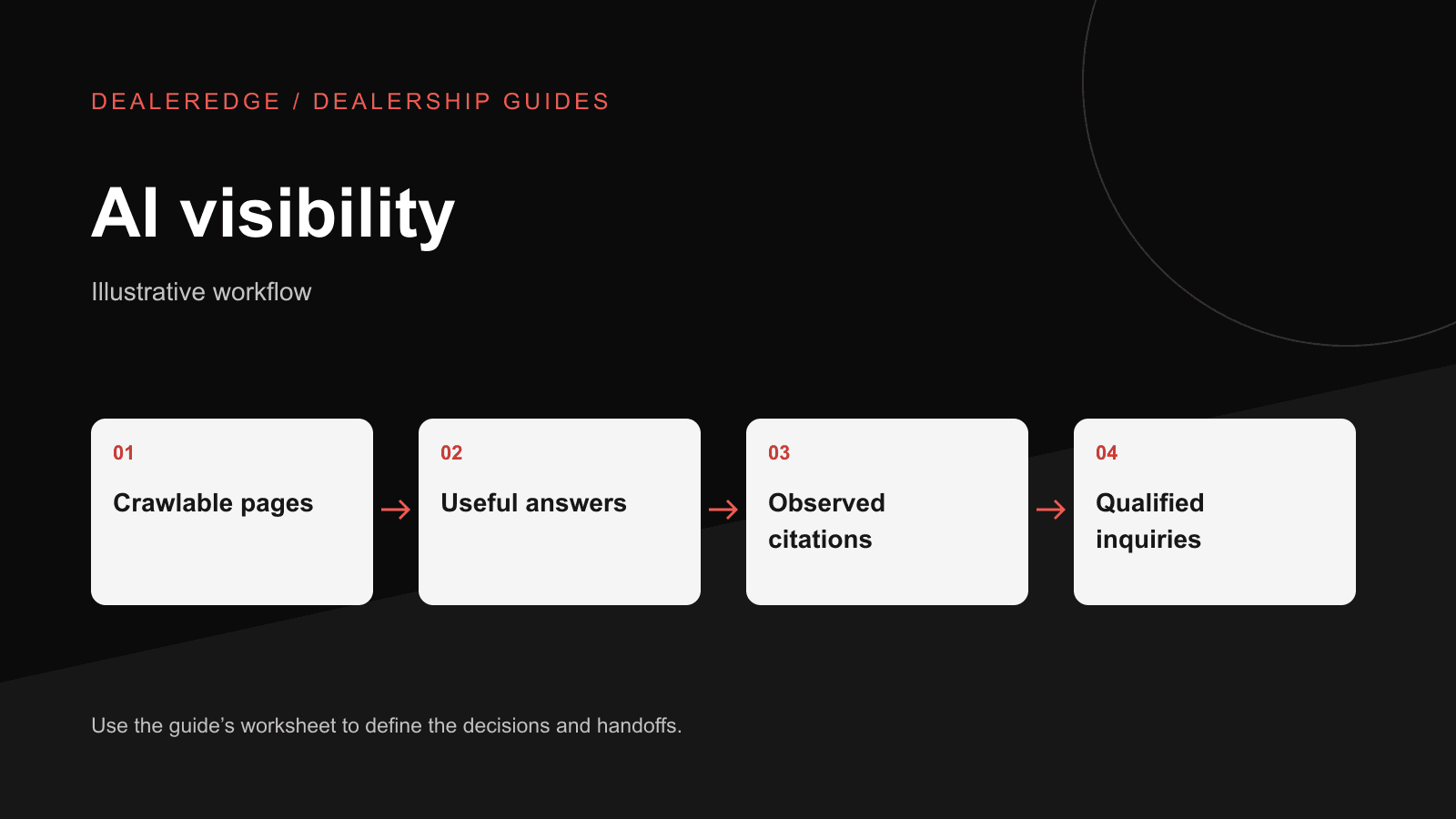
Start with a practical question. When a buyer asks a search assistant about your store, your inventory or your service, is there a page on your site that answers it correctly and can be found?
This article covers what to fix first and how to measure progress. For a full technical sweep of your site, use the dealership website audit guide.
Be specific about which AI you mean
Google has published guidance for its AI features, AI Overviews and AI Mode. It says the same SEO foundations apply as in regular search, and that no special AI file or AI-specific markup is required. To be shown as a supporting link, a page must be indexed and eligible to appear with a snippet. Crawl access, important content in visible text, internal links and accurate structured data all support eligibility, but none of them guarantees inclusion (Google Search Central: AI features).
Other assistants use their own crawlers, sources and policies. Google's guidance doesn't describe them. That also means llms.txt is not a prerequisite for Google's AI features. Consider it, if at all, after the fixes below.
Fix 1: Make core facts correct and consistent
When your site, your business profile and an old listing disagree, an assistant may repeat any of them, combine them, or get something wrong on its own. Remove the conflicts you control:
- Locations and hours. Include seasonal and holiday hours, and list the departments at each site.
- Brands. Name only the brands you currently sell or service.
- Services. Name the ones you actually perform: winterization, shrink-wrap, storage, haul-out, RV roof or slide repair, warranty work.
- Processes. Explain how consignment, trade appraisals, delivery orientation, and pickup or drop-off work.
Put these essential facts in accessible, visible HTML. PDFs and tabbed content can be fine. Systems can process some PDF text and rendered tabs. Still, don't make a downloadable file or a hidden element the only home for a key fact. Check that the page renders as expected and can be crawled.
Fix 2: Make important pages reachable and accurate
- Important pages are not accidentally blocked from crawling or set to noindex.
- Service and location pages are linked from navigation or from related pages.
- Structured data, where you use it, matches what's visible on the page.
- Sold inventory is marked accurately. You can keep a useful sold or archive page clearly labeled as sold. Redirect only when an equivalent replacement URL exists for the same content or unit, not merely a similar available unit. If a page is removed with no equivalent, return 404 or 410. A custom 404 page can still offer relevant browse links. Avoid blanket redirects to category pages.
Fix 3: Map real buyer questions to authoritative pages
Start from questions your staff actually hear, not from keyword-stuffed FAQ lists.
| Buyer question (example) | Page that should answer it | What makes it citable |
|---|---|---|
| "Who near [lake] winterizes and stores pontoons?" | Winterization and storage page | Location, services, booking season, how to schedule |
| "When should I book shrink-wrap?" | Seasonal service page | This season's booking window with a dated update |
| "Do you take boats on consignment?" | Consignment page | Steps, inspection, how listings and showings work |
| "Any used toy haulers right now?" | Filtered used inventory page | Current status and when the listing was last updated |
| "What happens at an RV delivery walkthrough?" | Delivery page | What's covered, roughly how long it takes, who conducts it |
| "Can my truck tow this trailer?" | Staff-written explainer | How to read the ratings, plus advice to confirm with the vehicle and trailer manufacturers |
Each of these pages also helps a human buyer, which is the point.
Fix 4: Publish expertise that is actually yours
Generic copy is interchangeable. Your service manager's explanation of what your winterization covers, and what it doesn't, is not. Neither is your sales team's method for comparing floorplans with first-time buyers, or the facts you know about local storage and launch access. Attribute this content to real roles at the dealership. Keep each claim within what that person actually knows.
Fix 5: Keep dates, availability and reviews honest
- Dates. Change "updated" dates only when the content actually changes.
- Availability. Don't leave "in stock" wording on pages for units that are pending or sold.
- Reviews. Describe reviews accurately and link to where they live. Avoid superlatives such as "top-rated" unless you can cite a specific, current source.
Measure five things separately
| Measure | Source | What it tells you | What it can't tell you |
|---|---|---|---|
| Automated fetches | Server or CDN logs | Which crawlers requested which pages | Whether anyone saw or cited the page. User agents can be spoofed unless verified. |
| Citations | Manual answer checks | Whether an assistant linked to your page, and whether the answer was accurate | Traffic, endorsement or sales |
| Mentions | Manual answer checks | Whether your dealership was named without a link, and how accurately | Traffic or endorsement |
| Referral visits | Analytics | Sessions that arrived with an identifiable referrer | Sessions where no referrer was passed. Google includes its AI-feature traffic within Search Console Web totals rather than isolating it there (Google Search Central). |
| Qualified leads | CRM | Whether any of this produced buyers your team can work | Why the person chose you |
Treat referrals and log fetches as separate sources, because they are. A bot fetch is not a visit, and a citation is not an endorsement or a sale.
Build a repeatable question panel
- Pick a fixed set of questions from your buyer-question map. Fifteen to twenty-five is a practical starting size, not a rule.
- Choose which assistants you'll check, and run the same questions on a set schedule, such as monthly.
- For each answer, record the citation and its URL, any unlinked mention, and whether the answer was accurate.
- Note the conditions: date, location and whether you were signed in. Answers vary between runs, so treat each result as a sample, not a ranking.
- When an answer is wrong, trace it to a likely source page or listing and correct that source.
Over time, watch which questions get accurate citations, and whether qualified CRM leads on those topics hold steady or grow. Don't assume one caused the other.
Order of operations
- Align core business facts.
- Confirm that key pages are crawlable, indexable and readable.
- Build or fix the pages that answer real buyer questions.
- Add genuine staff expertise, plus honest dates, availability and review wording.
- Start the question panel, and keep fetches, citations, mentions, visits and leads separate.
- Consider assistant-specific files or tools last.
Check where your site stands
Before you start the question panel, get a starting view of your website.
- 1. Edge Score
- 2. Fixes 1–5
- 3. question panel
Get my Edge Score. It runs five checks on your website: local visibility, AI visibility, site quality, speed and AI readiness. It's a starting point, not a full SEO audit, and it can't tell you whether a particular assistant will cite your pages; no tool or platform can guarantee citations. Use it alongside Fixes 1–5 and the question panel, and keep measuring fetches, citations, mentions, visits and leads separately.
Want to talk through your own pages and lead tracking? Request a private walkthrough, email me about the next demo, or explore DealerEdge marketing.